The school running itself between your office and the parent.
Features
What a school gets
The messages write themselves, because the register, the fees and the assessment records all live in one place.
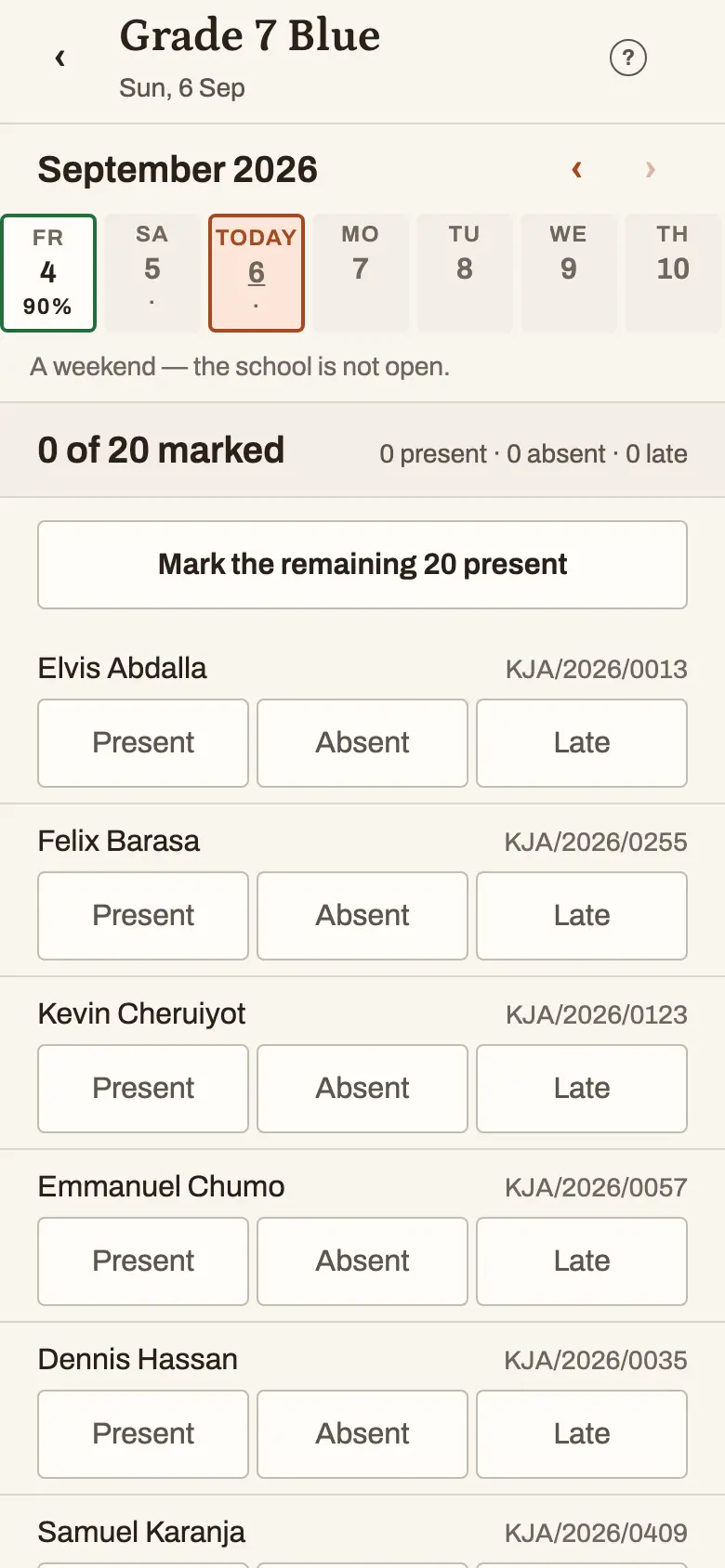
The daily register
Marked on a phone in under a minute, signal or no signal.
Absence messages
Marked absent at 8am; the mother knows at 8:05. Nobody typed anything.
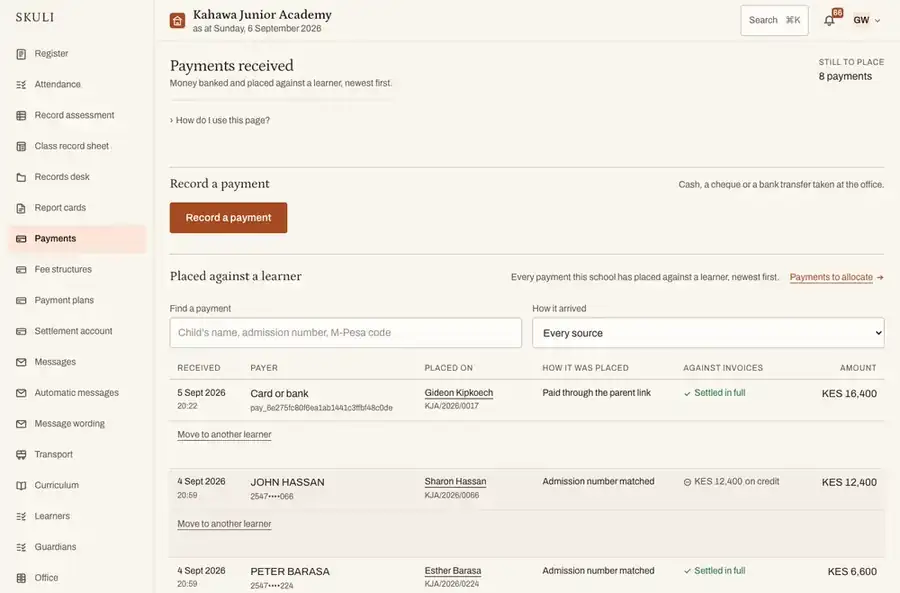
Fees and statements
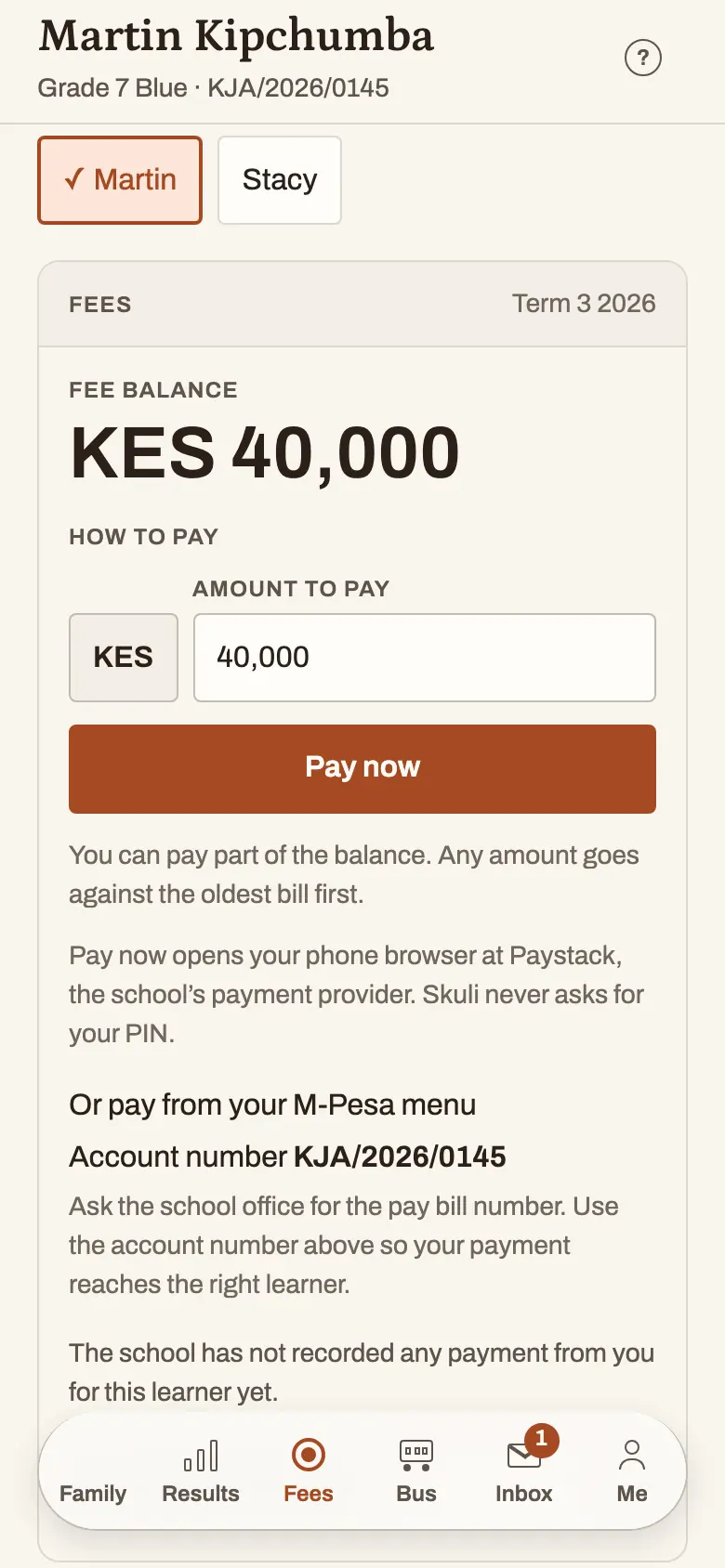
Invoices, payment plans, and a statement the parent opens from a message.
M-Pesa matching
Matched to a learner by admission number; the rest queue for a person to place.
Assessment and reports
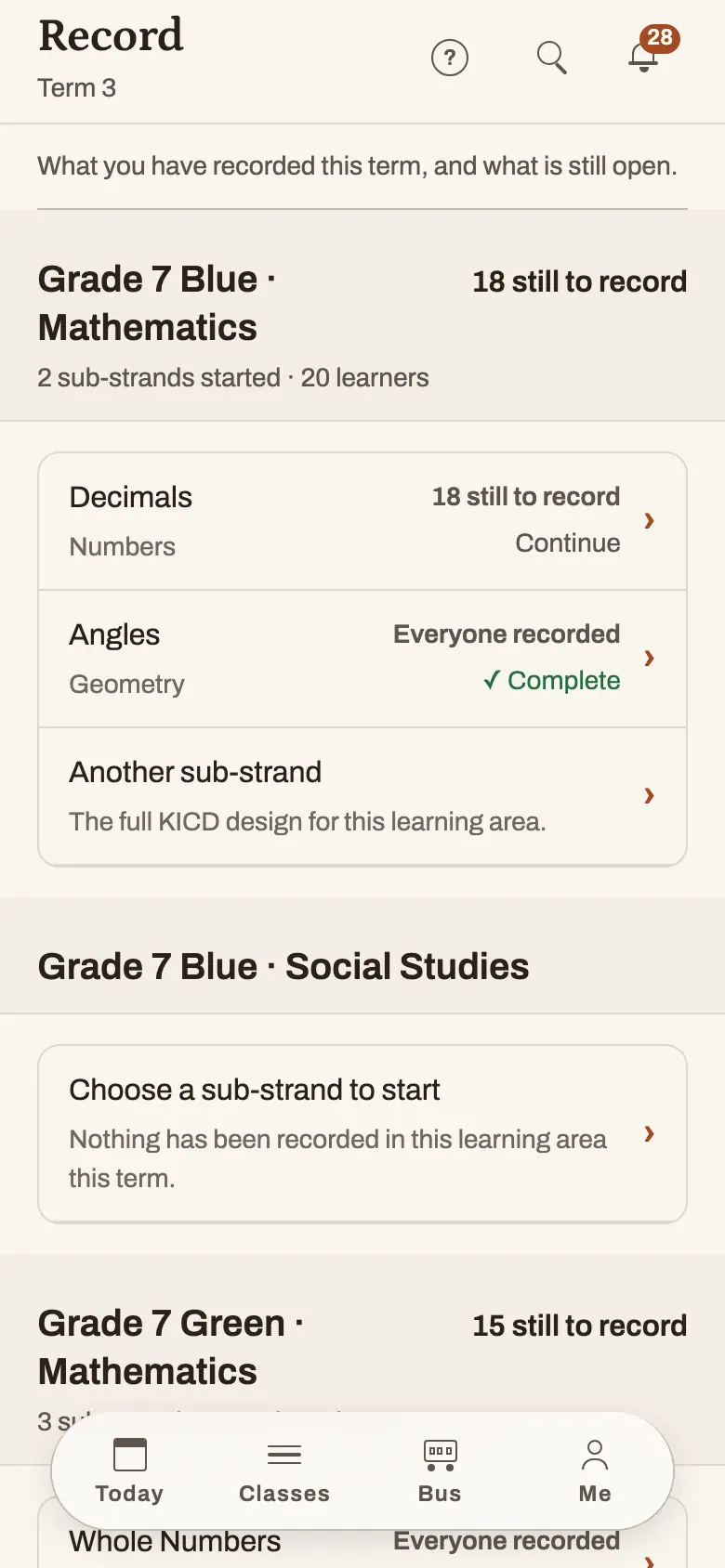
Records against strands and sub-strands, and the report card they produce.
KNEC SBA assist
A completion board, and one sheet in the order the portal asks for.
The school bus
A matron taps each child on and off; the parent hears both ends.
An app, and a link for everyone else
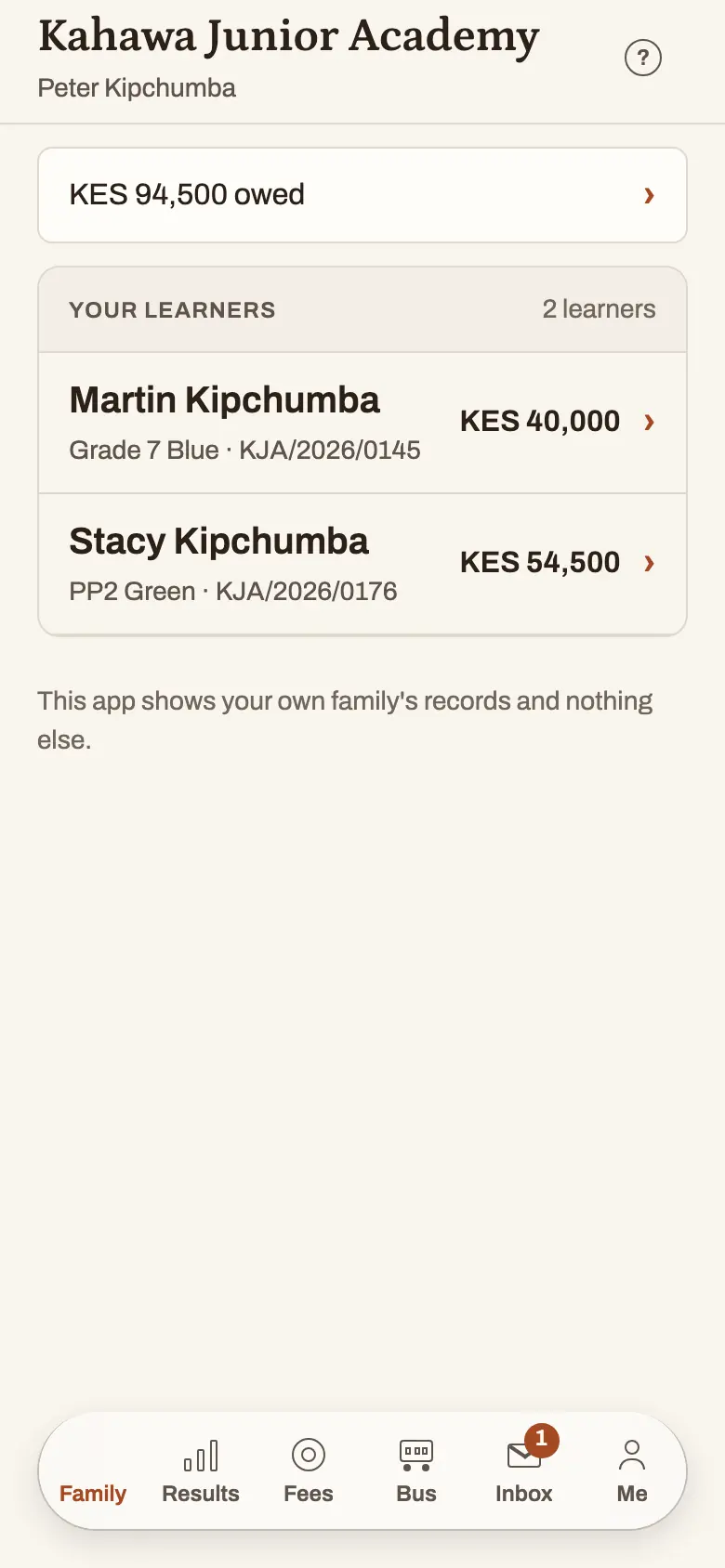
One app for parents and staff — and every message carries a link for anyone without it.
The same app, on a teacher's phone and on a parent's
How it works
A Tuesday, once the school is running on SmartSkuli
- 08:05Class teachers mark the register on their phones.60 seconds each
- 08:0623 absence messages reach guardians.Automatic
- 09:00The arrears sweep fires. 180 parents get their agreed instalment reminder.Automatic
- 11:0014 M-Pesa payments land, match to learners, and each parent gets a receipt.Automatic
- 15:30The bursar clears 3 payments that came in with the wrong reference.10 minutes
- 16:00You open your phone: collected today, arrears down 4% on last week.15 seconds
Messages sent ≈220 · Messages anyone typed 0 · Staff time <20 min — a worked day at a 450-learner school, not a measurement taken at one.
The 09:00 reminder is not nagging. It is the agreed payment plan, with a message before each instalment: “Your agreed instalment of KES 5,000 is due Friday” collects very differently from “your balance is KES 5,000.”
Pricing
What your school pays
One more child is one more register mark, one more message and one more invoice. A timetable is the same work at 900 learners as at 200.
Pay for the year before Term 1 and you pay for two and a half terms.
Essential
The child’s record, and it reaches the parent.
KES 75
per learner, per term
or KES 187 for the year, paid once
- The daily register, and the absence message it sends when it closes
- Assessment records, and the report card they print
A 450-learner schoolKES 33,750 a term
Standard
Everything in Essential, and the money.
KES 140
per learner, per term
or KES 350 for the year, paid once
- Fee structures, invoices and statements
- M-Pesa payments matched to a learner on the admission number
- Payment plans, and the reminder before each instalment
A 450-learner schoolKES 63,000 a term
Custom
Bigger than the rate card, and priced in a conversation.
We work it out together
above 900 learners
- More than one campus, under one office
- A fleet, and the routes that go with it
- An accountant who wants the figures their own way
Under 150 learners you are billed as 150.
Add to either plan, a flat price per term
- The timetableKES 6,000
A week generated in a second, with the periods that would not fit named first — then every teacher’s own day on their phone, and the app tells them before each lesson and when a colleague asks them to cover.
- The school busKES 8,000
Each child tapped on and off, and the family told at both ends of the journey.
- The staff registerKES 5,000
Present, late, absent or on approved leave — and never a clock-in time.
Modules are added as schools ask for them. If your school needs something that is not on this list, say so in the first meeting — that is how the three above came to exist.
In every plan
- Learner and guardian records
- Messages to a parent with the app — free, unlimited, on every plan
- An SMS allowance on top, and you only pay past it
- The app, for parents and for staff
- And a link for anyone without one — no app, no password
- Your data, exportable at any time
Terms
- Billed termly, in the weeks your own fees land — nine billed months a year, not twelve.
- If an invoice goes unpaid, messaging pauses. Your records, your exports and your read access never do.
- Your school owns its data and can export all of it on 30 days’ notice.
Prices, and the year: [email protected] — write with your roll and the plan you are looking at.
FAQ
What directors ask us
“Is this really built for CBC, or is CBC bolted onto an old system?”
Built for it. The KICD curriculum designs ship inside the product — 89 learning areas from Pre-primary to Grade 9, 375 strands and 1,959 sub-strands — and a teacher records a performance level against a named sub-strand, not a mark out of 100 relabelled. What comes out is the official CBE Learner Progress Report on the eight-point scale where EE1 is the top, and a school-internal summary for the parents who still want a position.
“Where is our data? Is it safe?”
Yours. Your school’s data is encrypted in transit and at rest in the database and its backups. Every guardian gets a private channel rather than a group, consent is recorded with a date, and you can export all of it whenever you like.
“What if our teachers or parents do not have smartphones?”
Teachers can use SmartSkuli in a browser on a laptop or phone. Parents do not need the app: essential updates arrive by SMS, and the private link opens later on any browser.
“Can one parent see another family’s fees?”
Never. A fee message is refused outright if it would reach more than one family, and a guardian only ever sees the children they are linked to.
“Who types the scores into the KNEC portal?”
Your teachers do, on the portal itself. We prepare the figures and put them in the order the portal asks for, and we hold no KNEC login of any kind.
Contact
Ten minutes at your school, and we come to you
We are based in Nairobi, and we set the school up in person — the office and the teachers, on your own timetable.
- This weekAn hour with your bursar. No slides.
- Two days laterThis, back with your school’s real numbers in it.
- On signatureWe import your learner and guardian records and clean the phone numbers.
- Before go-liveTwo training sessions — one for the office, one for teachers.
- Term boundaryGo live, running alongside your current process for the first term.
Greenhouse Towers, Ngong Road, Nairobi. [email protected]